

RELATIVELY soon after its official announcement on June 24, Windows 11, the latest iteration of the world’s most popular (by default) computer operating system, will be available – either via a free update or pre-loaded on the newest machines.
Microsoft has made a lot of promises to consumers on what to expect from this OS, which at least superficially represents a departure from how Windows normally operates.
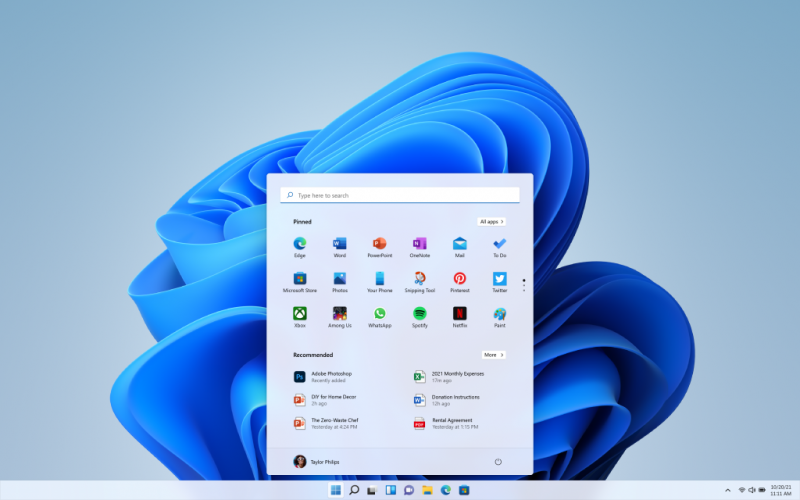
There is a new design, that just by placing its icons towards the centre, brings to mind MacOS. The Start feature utilises cloud technology to show you your most recent files no matter what device you were viewing them on. Speaking of which, Windows 11 is optimised to be used with touch, digital pen and voice input.
In terms of new functions, the Snap Layouts, Snap Groups and Desktops features provide even more ways to multitask and optimise screen real estate, and will be especially useful for those using more than one monitor.
Following their proliferation on mobile devices (Android, and recently, iOS), widgets will play a big role in how users will be able to personalise their Windows experience. It will provide a faster way to access the information you care about.
Teams will be further directly integrated into the taskbar itself, as the once business-focused communication tool will now be Microsoft’s all-purpose app for a more general audience, all but replacing Skype which it purchased not that long ago for US$8.5 billion (RM35.2 billion) – their biggest ever acquisition up to that point.
Following Skype on the road to irrelevance are the Cortana virtual assistant – that the vast majority of users outright ignored – and the Windows' previous default web browser, Internet Explorer (left in the dust by Chrome and Firefox, now replaced by Edge), among others.
A bigger deal is the introduction of Android apps to Windows 11 through the redesigned Microsoft Store, which means apps like Instagram and Tik Tok – that while accessible via web browser, lack the functionality of their mobile apps – can now be downloaded on PCs. This should open up more creative opportunities for content creators.
How to upgrade
The free upgrade starts on October 5 and will be phased in gradually, with newer devices receiving an option to upgrade first. The option will then roll-out to other devices based on hardware eligibility, reliability metrics, age of device and other factors.
Microsoft expects all eligible devices will receive the option to upgrade to Windows 11 by the middle of next year.
If you have a Windows 10 PC that can be upgraded, Windows Update will let you know when it’s possible to make the switch. And you will definitely know this – after all, Windows can be very insistent on reminding you to download the latest updates.
For those curious if their machine will be able to handle Windows 11, they can check out the PC Health Check app. They can also check out the minimum system requirements.
For those hesitant to upgrade for any number of reasons, or who are using a PC that is not eligible to upgrade, they can still hold on to Windows 10 as Microsoft has said that they will support it through October 14, 2025. For comparison, Microsoft only stopped providing support for Windows 7 in January 2020. – The Vibes, September 1, 2021