


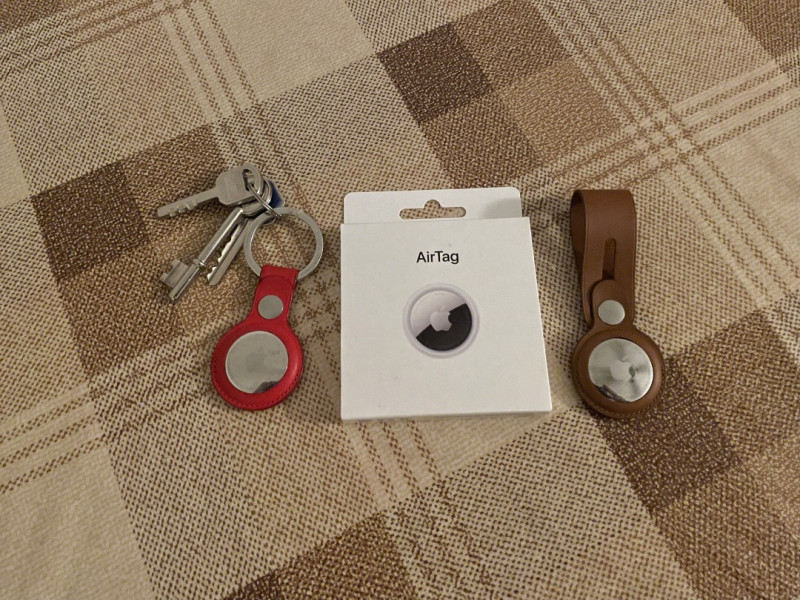

THE AirTag is a device that can help you find anything it’s attached to via the Find My app that comes with every Apple phone (Android need not apply).
Slip one of the small (32mm diameter, 11gm) disks into a key ring – either an official Apple accessory or a third-party equivalent – and you’ll never lose your keys again. Slip one into your backpack or wallet and you’ll never lose your valuables.
It all sounds so simple – and in terms of setup, it is – but in practice, the AirTag runs into some limitations. Maybe those issues are a result of limited Internet infrastructure in areas it was used in or the construction of my apartment, but that still points to the limits of this device.
How it works
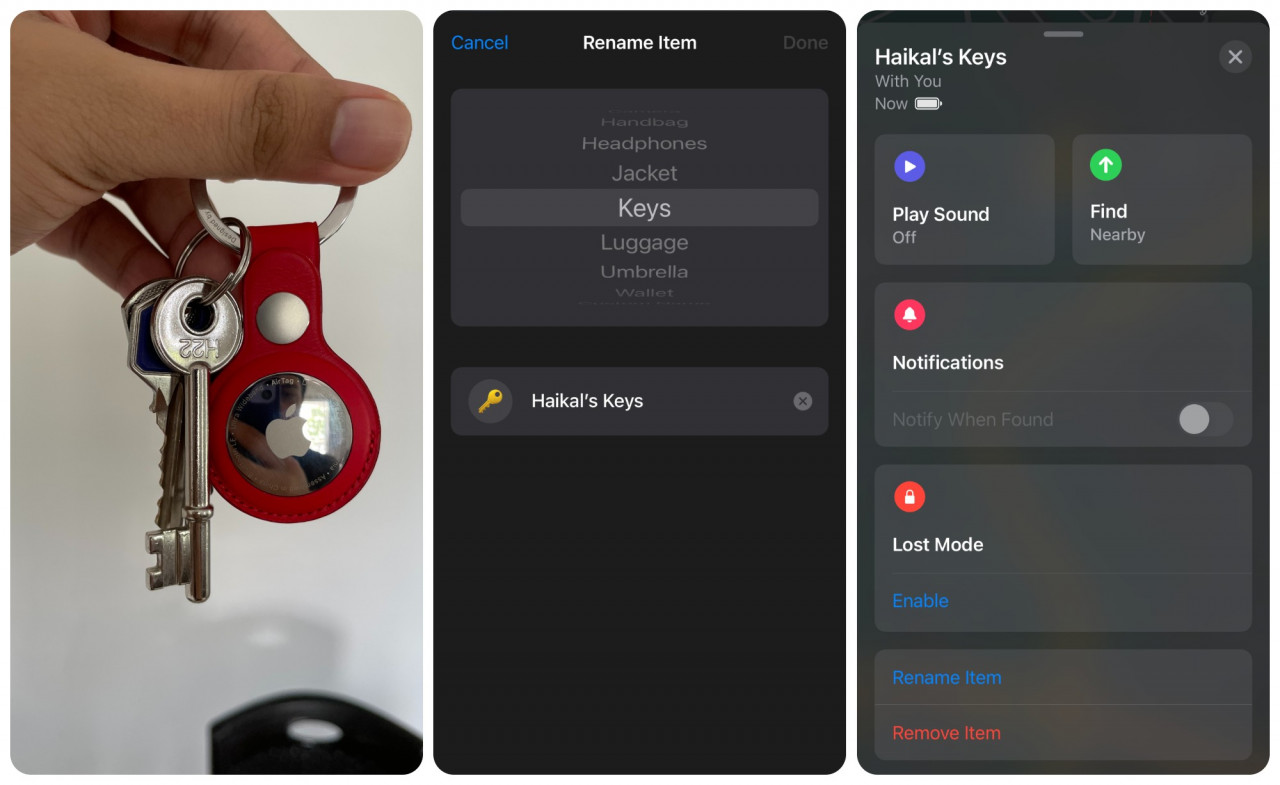
To activate an AirTag you just need to pop it out of the packaging and have your iPhone or iPad nearby to pair it. You then choose a name to go along with the device (keys, backpack, wallet, etc). It then appears in the Items tab of the Find My app. The process literally takes seconds.
There are two ways the AirTag can help you find your stuff (keys in this case). The first is an audio ping from the tag itself. Just click Play Sound and a short ringtone will play. This is great when you’re at home and are about to leave but can’t find your keys.
The other way, Precision Finding, is more of a medium and long-range solution to locating your AirTag adjacent keys. At extended ranges the Find My app goes into Apple Maps and pinpoints the approximate location of the tag.
For those who prefer Google Maps, you’re out of luck – the AirTag is an Apple device through and through.

Once you get close enough, a simple interface will pop up on your iPhone that should lead you to your keys. Just follow the arrow and it should take you to where the AirTag is. Don’t forget about using the audio ping.
While intuitive in theory, in practice, it’s a bit more flimsy. Precision Finding works through Bluetooth. The AirTag sends out a secure Bluetooth signal that’s detected by nearby devices (iPhones, iPads and Macs) in the greater Find My network.
Those devices then send the AirTags location to iCloud, which lets you find it on the map.

The problem comes when you’re in an area with a spotty connection. If the signal is weak you need to move to somewhere with a better signal – which isn’t really possible if you live in a small apartment. It also doesn’t work in low light situations.
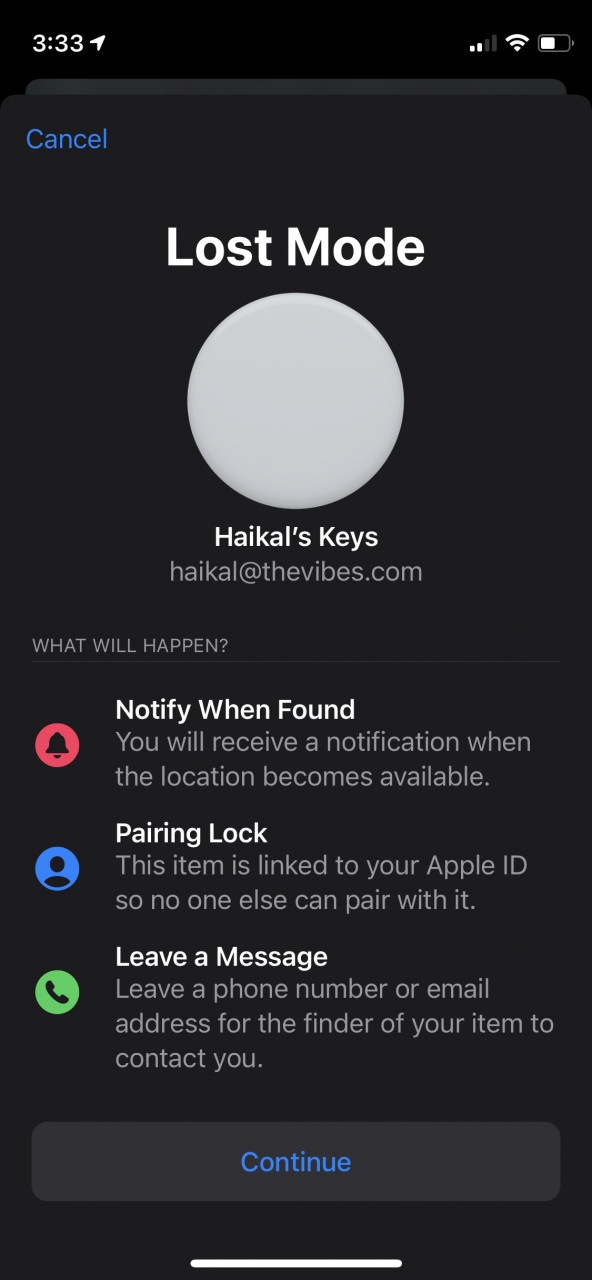
In a worst-case scenario where you can’t find the device, despite your best attempts, the missing AirTag can be put into Lost Mode – just like any other Apple mobile device. If it’s detected by another device via Bluetooth, you will be notified.
The owner of that other device can then tap the tag with their phone (as long as it is NFC-capable) and will have your contact information.
Privacy concerns
One of the biggest concerns, if not the biggest, when it comes to the AirTag relates to privacy worries. In casual conversation, when people hear about the AirTag they almost immediately wonder if it can be used as a tracking device.
Apple says it does not keep track of its user’s location history. This information is not associated with their Apple ID. The process of locating AirTags is anonymous and encrypted to protect the user’s privacy.
Only the user who is paired with the AirTag can see where it is, and their location and history is not stored on the device itself. The devices that are part of the Bluetooth network that help find lost tags are also encrypted.
Therefore, at least according to Apple, even they don’t know where any missing tags might be.
Of course, what’s to stop an AirTag user from using it to track someone without their knowledge? Well, your iPhone will notice an unknown AirTag moving with you and will send you an alert, and eventually an audio ping. So budding private detectives should look elsewhere.
The hardware
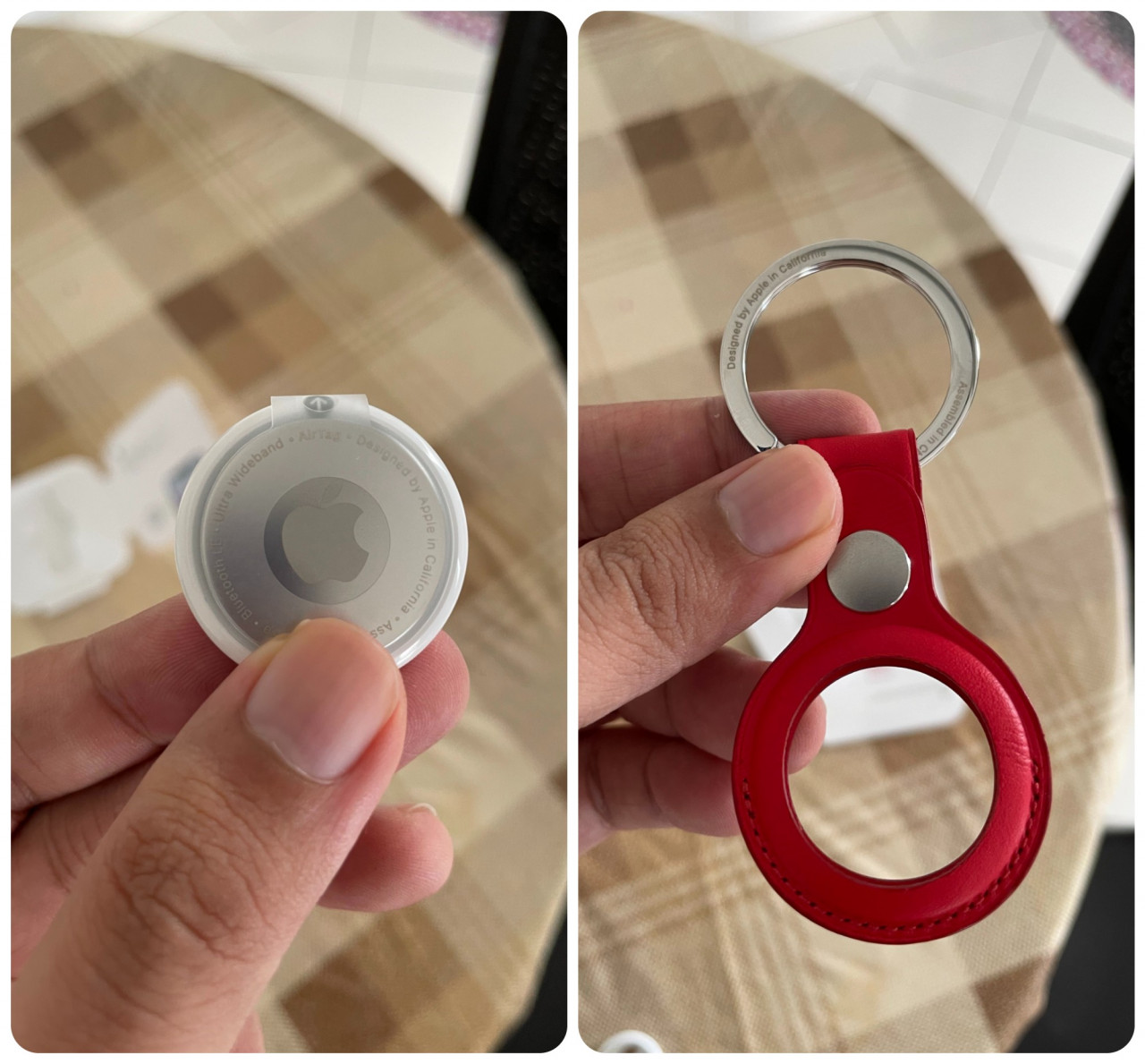
Made from 100% recycled tin, the AirTag is designed to reduce its environmental impact. To that end, the battery can last more than a year and is easily replaceable – which is rare to see in an Apple device. It’s also water-resistant.
After a few months of use, the tag can accumulate smudges and some scratches, but nothing too serious. The AirTag isn’t exactly a showpiece device, despite how colourful some of the accessories can be.
Who is it for?
Priced at RM129 for a single AirTag, this device is not a casual investment for the typically absent-minded. And the official accessories come at a premium too, with leather key rings and leather loops at RM199. Of course, there are plenty of affordable third-party alternatives.
In a world sans pandemic, where travel is more commonplace – especially for business types – there is more utility for this device. You’re not getting the most of it by WFH.
Unless you are extremely forgetful, the AirTag is likely an extravagance. Though if you are the type to lose track of your phone, this doubly isn’t for you. – The Vibes, August 24, 2021